
AI search New in ChatGPT
How to Claim and Verify Your Business in ChatGPT
ChatGPT just opened its doors to businesses. 1.2 billion people use it every week, and now you can claim your business, control what it says about you and see how often it mentions you. Here is exactly how I did it for Skylinerank, step by step.

- On November 10, 2026 OpenAI launched Businesses in ChatGPT (beta) and a dashboard called Business Hub.
- Claiming your business is free. You prove you own your website by adding one DNS TXT record.
- It took me about 10 minutes for skylinerank.com, including one failed check.
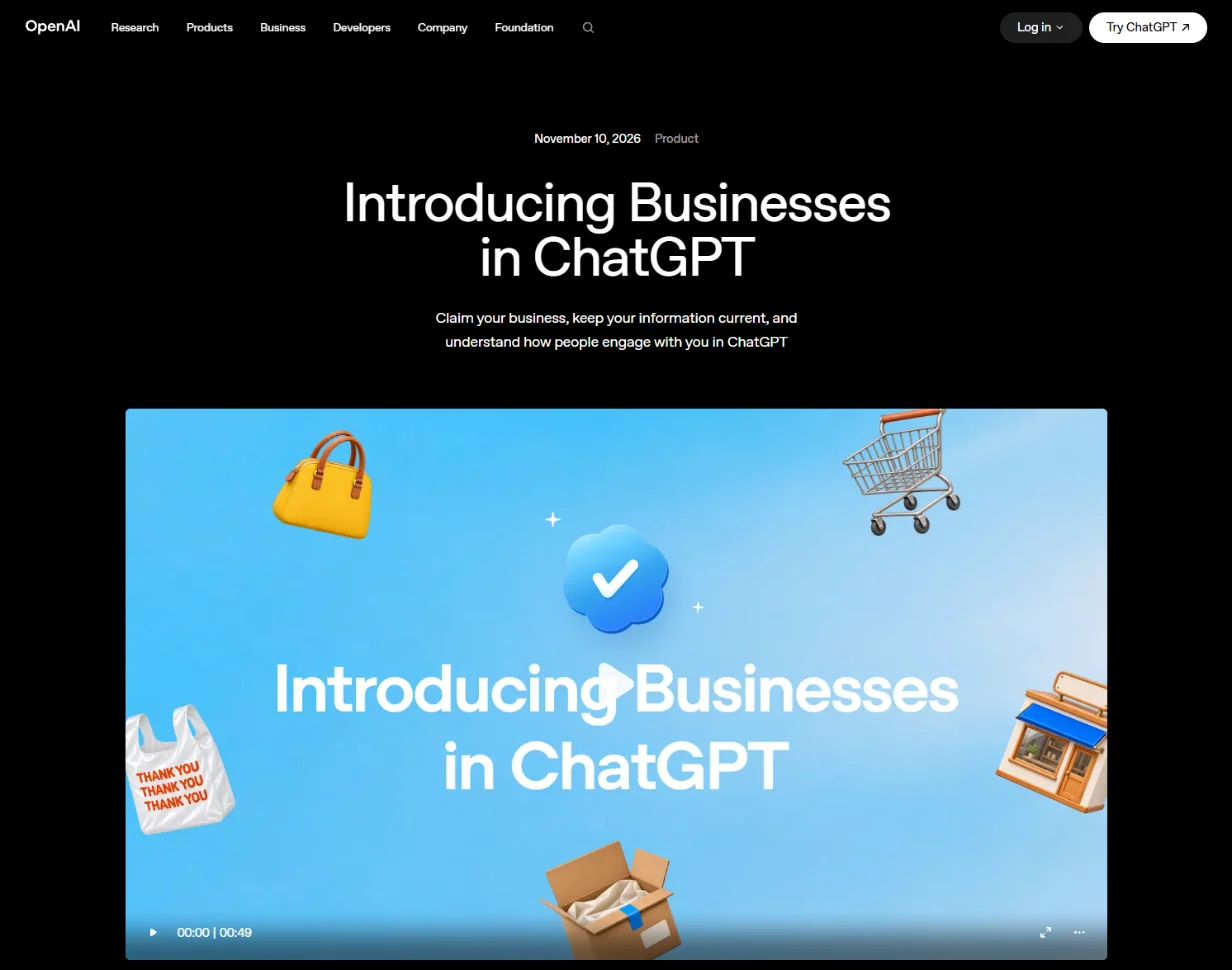
For twenty years the rule was simple: claim your Google Business Profile, keep your hours right, collect reviews. That still works. But more and more people now ask ChatGPT where to buy something or who to call, and never open Google. Last week ChatGPT gave businesses their own front door. If you run a business with a website, you should claim yours now, before someone asks ChatGPT about you and it answers with old or wrong information.
What Businesses in ChatGPT is
Businesses in ChatGPT is a verified business profile inside ChatGPT. When your business shows up in an answer, people can click through to your profile. You manage it from Business Hub at chatgpt.com/business-hub, where you can:
- Claim your business and verify that you own its website.
- Update key details: description, contact info, website and hours.
- Add product feeds with prices and availability, if you sell products.
- See how often ChatGPT mentions you and how many people click to your website.
- Build a Business Agent that answers customer questions (for eligible businesses).
Do not confuse it with ChatGPT Business, which is OpenAI's paid plan for teams. Different product, similar name.
Who can claim a business
OpenAI says any eligible business located where ChatGPT is available can claim it through Business Hub. A few groups have shortcuts:
- Shopify merchants can connect their store from Business Hub or the Shopify admin, which makes verification easier.
- OpenAI Enterprise customers and advertisers can claim through their OpenAI representative.
- Business Agents start with eligible ecommerce and online service businesses in the United States.
You need two things: a ChatGPT account and access to your domain's DNS settings. If someone else built your website, they may hold the DNS login. Find that out before you start.
How to claim and verify your business in ChatGPT, step by step
This is the exact process I followed for skylinerank.com on November 16, 2026.
Step 1. Open Business Hub and add your business
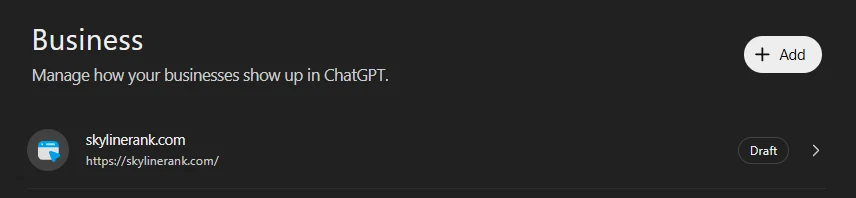
Sign in to ChatGPT, go to chatgpt.com/business-hub and click Add. Enter your website domain, like yourbusiness.com. Your business appears in the list right away.
Step 2. Copy the TXT record ChatGPT gives you
ChatGPT asks you to prove you control the domain. It shows a screen titled "Verify that you control yourbusiness.com" with three values:
TXTopenai-business-profileopenai-business-profile=YOUR-UNIQUE-CODENote the line under the record: the record expires after about 24 hours. If you wait longer, you will need a new one.
Step 3. Add the TXT record in your DNS provider
Log in wherever your domain's DNS lives. That is usually your domain registrar or your website host: Cloudflare, GoDaddy, Squarespace, Namecheap, Bluehost, Wix and so on. Then:
- Open the DNS settings (sometimes called DNS records or Manage DNS).
- Click Add record and choose type TXT.
- In Name or Host, paste
openai-business-profile. - In Value or Content, paste the full value, including
openai-business-profile=at the start. - Leave TTL on automatic and save.
Our domain runs on Cloudflare, so this took about a minute. Keep the record in place after you verify. OpenAI may check it again later.
Step 4. Click Verify domain
Go back to ChatGPT and click Verify domain. My first try said "We haven't verified the record yet," even though the record was already live. ChatGPT makes you wait about 30 seconds before you can check again. The second check passed. So if yours fails once, don't panic and don't change anything. Wait and try again.
Step 5. Pick a category and describe your business
Once verified, ChatGPT asks you to "help people get to know" your business. Choose a business category (we picked Marketing agency) and fill in More about your business. A live preview on the right shows how your profile card will look, including your website and links for delivery and return policies.
Step 6. Verify your identity to publish
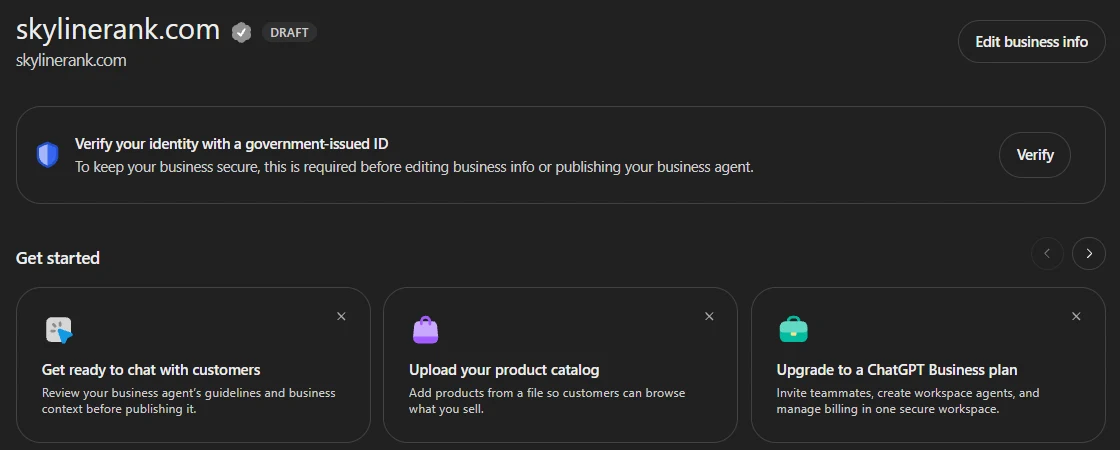
This step surprised me. After the domain check, the profile stays a Draft. Business Hub asks you to verify your identity with a government-issued ID before you can edit business info or publish a Business Agent. Plan for it, and have your ID ready.
What to write in your ChatGPT business profile
The description box tells ChatGPT what else customers should know. Treat it like the most important paragraph about your business on the internet, because for a lot of people it will be.
- Say who you are and what you do in the first sentence. Name, type of business, city or service area.
- Name the people. A founder or owner with real experience is a trust signal for people and for AI.
- List your main services or products in plain words, the way customers search for them.
- Match your website and Google Business Profile. Same name, same services, same area. Mixed signals make you harder to trust.
- Skip the hype. No "best in town," no promises you can't keep. Facts age better.
Skylinerank is a local search and AI visibility agency led by Andy Castelo, Co-Founder & CEO. We build websites meant to rank, run Google Business Profiles, handle local SEO and work on AI search visibility, so local businesses show up on Google Search, Google Maps, ChatGPT, Gemini, Claude, Perplexity and Grok.
What you see after you verify
Business Hub gives you Brand insights: how many times ChatGPT mentions your business and how many people click through to your website, over 7 or 28 days. It also shows your top discovery topics, the common themes in conversations where your website gets cited.
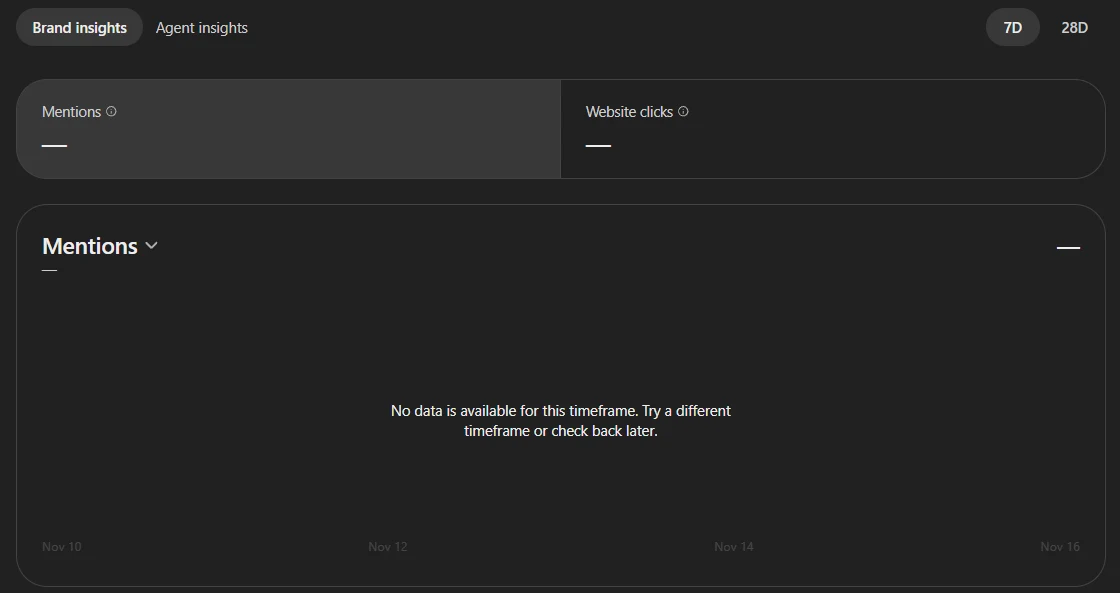
OpenAI says it does not share anyone's conversations with businesses. Insights are aggregated and only appear once there are enough conversations to meet a privacy threshold. A new or small business may see dashes for a while. That is normal.
This is the first time a business owner can see, in numbers, how often ChatGPT talks about them. If you have been wondering whether AI search matters for your business, this dashboard will start answering that question.
Business Agents and ChatGPT Ads
After claiming, eligible businesses can build, test and launch a Business Agent: an AI assistant that answers questions about your offer, using information you give it. When someone sees your business in an answer, they can open a separate, clearly labeled chat with your agent and ask follow-up questions.
Businesses can also sponsor their Business Agent and use it as the destination for ChatGPT Ads. Sponsored placements are labeled and kept separate from ChatGPT's own answers. Right now Business Agents are limited to eligible ecommerce and online service businesses in the U.S. OpenAI says more markets and categories are coming.
If ChatGPT domain verification fails
- Wait and check again. The most common reason is time. Give it a minute, then click Verify domain again.
- Check the host name. Some providers add your domain automatically. If you typed
openai-business-profile.yourbusiness.com, your provider may have savedopenai-business-profile.yourbusiness.com.yourbusiness.com. Use justopenai-business-profile. - Paste the whole value. It must include
openai-business-profile=at the start, with no extra spaces or quotes. - Edit DNS in the right place. If your domain uses another company's nameservers (for example, bought at GoDaddy but running on Cloudflare), records only count where the nameservers point.
- Get a fresh record if it expired. The record lasts about 24 hours. After that, start the verification again.
Want to confirm the record is live before you click? On a Windows or Mac terminal, run nslookup -type=TXT openai-business-profile.yourbusiness.com. If you see your value, ChatGPT can see it too.
Does claiming your business make ChatGPT recommend you?
No, and anyone who tells you otherwise is selling something. A verified profile makes sure that when ChatGPT talks about you, it uses accurate, current information, and it shows you how often that happens. Whether ChatGPT mentions you in the first place still depends on what it can find and trust about you across the web.
That means the basics still matter, maybe more than ever:
- A clear website with a page for each service. See how to make your website easy to read for people, Google and AI.
- The same business facts everywhere. See why your business information must match everywhere online.
- Real reviews and a complete Google Business Profile.
- What AI looks for before it recommends anyone. See what AI search engines look for and how to show up in ChatGPT as a local business.
Claim your profile now. It's free and takes minutes. Then do the work that gets you mentioned.
Watch: I talk about it on Instagram
FAQ
Is claiming a business in ChatGPT free?
Yes. Claiming and verifying your business in ChatGPT Business Hub is free. Paid options are separate: ChatGPT Ads, sponsored Business Agents and the ChatGPT Business subscription for teams.
Is Businesses in ChatGPT the same as ChatGPT Business?
No. Businesses in ChatGPT is the free business profile and Business Hub dashboard. ChatGPT Business is OpenAI's paid workspace plan for teams.
How do I verify my domain for ChatGPT?
In Business Hub, ChatGPT gives you a TXT record with the host openai-business-profile and a value that starts with openai-business-profile=. Add it in your DNS provider (Cloudflare, GoDaddy, Squarespace, Namecheap or similar), wait a minute, then click Verify domain.
How long does ChatGPT domain verification take?
Often a few minutes. In our case the first check failed and the second one, about 30 seconds later, passed. The record ChatGPT gives you expires after about 24 hours, so add it the same day.
Does claiming my business make ChatGPT recommend me?
No. A verified profile keeps your facts accurate and shows you insights. ChatGPT still decides on its own which businesses to mention, based on what it can find and trust about you across the web.
Can I build a Business Agent?
Business Agents are available first to eligible ecommerce and online service businesses in the United States. Local service businesses can still claim and verify their profile today.
- OpenAI: Introducing Businesses in ChatGPT (Nov 10, 2026)
- Inc.: Small Businesses Can Now Claim a Free ChatGPT Profile
- Medium: You Can Now Claim Your Business in ChatGPT. But Should You?
- Our own walkthrough of Business Hub for skylinerank.com, Nov 16, 2026.

Andy has spent over nine years helping businesses get found on Google, and now builds AI tools and agents for Skylinerank. Want to know how your business shows up on Google and AI search today? Get a free audit.
More guides.
How to Show Up in ChatGPT as a Local Business
Make your business easy to discover, describe, and verify across your website and trusted public sources.
 Skylinerank team · 5 min read
What AI search engines look for before they recommend a business
ChatGPT, Gemini and Perplexity don't pick businesses at random. Here's what shapes who gets mentioned.
Andy Castelo · 3 min readReady to get found?
Book a call. We look at how Google, Maps and AI see your business today, and tell you the truth about it.